
Get Pulse MIG Before You Buy Another Welder
Check whether your Millermatic 211 PRO gets Dyna-Pulse free, what the USB update adds, and where aluminum and thin-sheet limits remain.
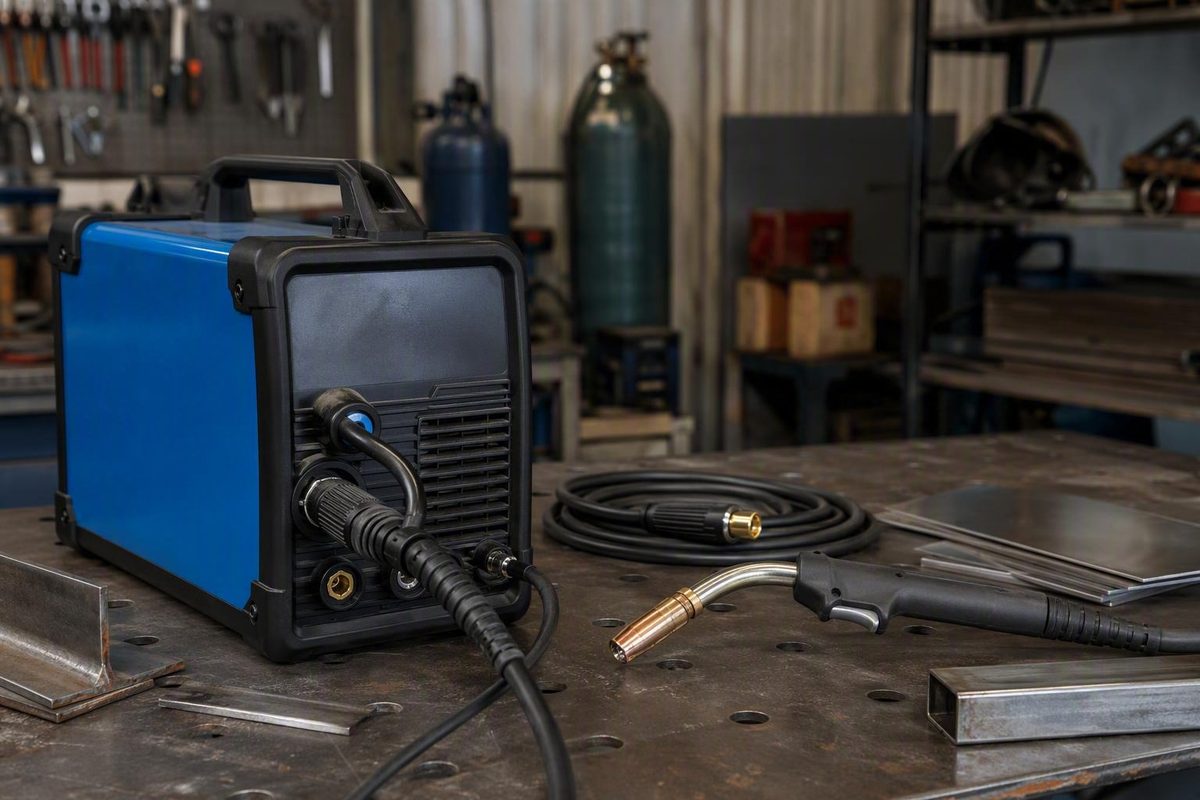
If the machine label says Millermatic 211 PRO, paying for another welder solely to obtain pulse MIG is unnecessary: Miller’s announced software price is $0, and the USB update adds Dyna-Pulse without replacement hardware. The same free bundle adds BeadVision and three program-memory slots while retaining Auto-Set, according to Miller’s announcement and official update walkthrough.
Why Buying A Higher-Tier Machine Used To Make Sense
The usual recommendation is defensible. Pulse MIG has generally been associated with more expensive multiprocess or industrial pulse machines, particularly when a buyer wants cleaner aluminum work or better heat control on thin sheet. Miller itself says Dyna-Pulse was never previously available from the company in this amp class, which explains why shops have treated pulse capability as a reason to step up.
That advice remains correct when the required process falls outside the 211 PRO’s documented capabilities. The update does not add pulsed TIG to the 211 PRO, does not establish compatibility for an older non-PRO 211, and does not expand the machine’s physical output, duty cycle, wire-feed hardware, or accessory support. A different machine class may still be necessary for those reasons.
What changed is the narrow purchase decision around pulse MIG itself. Miller now says current Millermatic 211 PRO owners can add the function through software rather than new hardware. Its release explicitly frames the update as protecting an existing purchase instead of requiring customers to replace equipment.
No welder prices or price differences were supplied in the available documentation, so a dollar comparison between the 211 PRO and higher-tier machines cannot be calculated here. The defensible savings claim is limited to avoiding a new-machine purchase made only to obtain the newly added feature.
Check The Model And Process Before Spending
The word PRO controls the first decision. Miller names the Millermatic 211 PRO and Multimatic 215 PRO as eligible; its documentation does not extend that statement to every machine sold under the Millermatic 211 name.
Choose your exact model, intended process, material, and thickness class; the checker will state whether the free update or a different machine is the documented path.
Do You Need Another Welder?
Match the machine label to the process you actually need. The default shows a Millermatic 211 PRO used for thin aluminum pulse MIG.
The source documentation gives no numerical thickness cutoff, so this tool does not invent one.
Your Millermatic 211 PRO is documented for the free Dyna-Pulse update. It addresses the pulse-MIG feature, but confirm the aluminum wire, gas, feeding accessory, and thickness setup in Miller’s current guidance.
What This Result Does And Does Not Establish
- The Millermatic 211 PRO is a named eligible model.
- Dyna-Pulse is the documented pulse-related MIG addition.
- Miller associates the process with heat-input control and reduced spatter, warping, and distortion.
- No complete aluminum pulse, gas, wire, accessory, or thickness matrix was supplied.
| Machine | Target | Documented Route | Decision |
|---|---|---|---|
| Millermatic 211 PRO | Pulse MIG | Free USB Dyna-Pulse update | Update, don’t buy |
| Millermatic 211 PRO | Pulsed TIG | Not established by this update | Different capability required |
| Millermatic 211 PRO | Standard MIG | Existing process; Auto-Set remains | No pulse purchase needed |
| Multimatic 215 PRO | Pulse MIG | Use its assigned free update | Update first |
| Multimatic 215 PRO | Pulsed TIG | Miller’s video associates pulsed TIG with this model | Update first |
| Multimatic 215 PRO | Standard MIG | Eligible update adds functions without replacing Auto-Set | No pulse purchase needed |
| Older or non-PRO 211 | Pulse MIG | PRO-package compatibility not established | Ask Miller or change machine |
| Older or non-PRO 211 | Pulsed TIG | Not established | Different capability required |
| Older or non-PRO 211 | Standard MIG | Use the machine’s existing documented functions | No update claim |
| Designation unclear | Pulse MIG | Read label and confirm model/serial with Miller | Verify before spending |
| Designation unclear | Pulsed TIG | Confirm exact model and documented process | Verify before spending |
| Designation unclear | Standard MIG | Confirm the machine’s current manual and label | Verify model |
Application limit: Pulse software does not expand physical output, duty cycle, accessory compatibility, or prove an acceptable weld.
Source: Miller’s July 7, 2026 product announcement, live software-update page, and official instructional video. Performance descriptions are manufacturer claims; unknowns are shown rather than estimated.
A seller’s shorthand description is not enough. Inspect the machine identification label rather than relying on an auction title, retailer abbreviation, receipt, or a description such as “pro welder.” If the label says only Millermatic 211, the available documentation does not establish eligibility.
| Machine | Documented Status | Purchase Decision |
|---|---|---|
| Millermatic 211 PRO | Eligible for the free update | Update before buying for pulse MIG |
| Multimatic 215 PRO | Also eligible | Use its assigned package |
| Older or non-PRO 211 | Compatibility not established | Ask Miller before installing |
Miller has not supplied compatible serial-number ranges, eligible production dates, a serial-number decoder, prerequisite software versions, regional-package differences, or a list of machines shipped with the functions already installed. Those omissions do not prove that hidden restrictions exist, but they rule out making compatibility assumptions from appearance or age.
If the exact designation or installed software is unclear, give Miller the full model and serial number before downloading a package. Installation should never be used as a compatibility test.
Dyna-Pulse Changes The 211 PRO’s Process Menu
Miller uses Dyna-Pulse as the branded feature name. Its instructional video calls the process added to the 211 PRO pulsed MIG, although the supplied documentation does not expressly define those terms as technically interchangeable in every context.
The careful conclusion is that both names concern the same update package. The evidence does not disclose enough waveform detail to make claims about pulse frequency, background current, peak-current timing, or synergic control.
Miller describes its pulsed-MIG process as a modified spray-transfer process intended to control heat input and reduce spatter, warping, and distortion. It also characterizes Dyna-Pulse as producing cleaner welds and greater control over heat input. These are manufacturer performance descriptions, not findings from an independent before-and-after test.
The update therefore changes what an eligible 211 PRO can select and control. It does not prove that a particular weld will have less distortion or meet an acceptance standard. Material, wire, gas, joint design, position, fit-up, operator technique, and the governing welding procedure still control the job.
Thin Sheet Gains A Heat-Control Option, Not A Guarantee
Thin sheet is where Miller’s heat-input and distortion claims are most relevant to the buying decision. Before the update, a buyer seeking a Miller pulse process in this amp class had reason to consider a different machine. After the update, an eligible 211 PRO has the documented pulse-MIG choice without replacement hardware.
The source material does not provide a numerical thickness range or a material-and-gas pulse chart. There is consequently no sourced cutoff at which this update makes thin sheet suitable, nor one at which a larger machine becomes mandatory. The checker uses qualitative thickness classes only and marks that limitation rather than inventing gauge or inch values.
Miller’s video documents two basic controls for the updated process:
- Increase arc length when the pulse arc shows excessive shorting or spatter.
- Decrease arc length when the wire appears to melt too close to the contact tip or the puddle becomes overly fluid or watery.
- Increasing wire-feed speed increases penetration; decreasing it reduces penetration.
Those directions summarize Miller’s guidance, not a complete procedure for every material or joint. Adjustments must remain within the machine, consumable, gas, material, and approved-procedure limits.
Aluminum Still Requires A Setup Check
The available update material does not fully establish an aluminum pulse compatibility matrix, spool-gun requirements, supported wire sizes, shielding-gas combinations, or every transfer mode. That prevents a blanket claim that the free update covers every aluminum job.
For a 211 PRO owner considering another welder solely because pulse MIG was absent, the correct first move is still to install the free update. Before welding aluminum, confirm the specific wire, gas, gun or feeding arrangement, thickness, and process combination in Miller’s current manual and consumable guidance.
That is why the checker’s default thin-aluminum result says update, don’t buy, followed by a compatibility warning. The update resolves the pulse-feature question; it does not settle every part of the aluminum setup.
Pulsed TIG Remains A Different Decision
Miller’s instructional material associates pulsed MIG with the Millermatic 211 PRO and pulsed TIG with the Multimatic 215 PRO. Nothing in the supplied evidence establishes that the update gives the 211 PRO pulsed TIG.
A buyer who specifically requires pulsed TIG should not treat Dyna-Pulse as a substitute. That requirement points to a genuinely different process capability, not a software feature left dormant in the 211 PRO.
The Bundle Adds More Than Dyna-Pulse
The software package combines welding, preview, and recall functions.
| Feature | Documented Change | Practical Limit |
|---|---|---|
| Dyna-Pulse | Adds the pulse-related MIG choice | Performance claims are not independently tested |
| BeadVision | Predicts penetration and bead profile graphically | It does not inspect a completed weld |
| Program memory | Provides three recall slots | Recalled settings still need verification |
| Auto-Set | Remains available | It does not prove every setup is supported |
BeadVision changes its on-screen graphic as parameters change. Miller describes the display as a prediction of penetration and bead profile. Treat it as setup feedback, not a measurement of actual penetration. Test coupons, inspection, and examination requirements still apply when specified by a procedure, code, customer, or quality plan.
The three memory slots can reduce repetitive setup, but memory is a recall aid rather than a welding procedure. Verify the current material, thickness, wire, gas, polarity, joint, position, and job requirements before using a saved program.
Miller’s video also says the 211 PRO receives silicon-bronze choices in Auto-Set and manual modes. That detail appears in the video rather than the principal press announcement, and it does not establish support for every silicon-bronze wire, gas, accessory, or application.
Install The Update From Miller’s Current Package
Use Miller’s live software-update page, not a forum attachment, third-party file host, or old retained download. Miller can change the package, instructions, or delivery route.
The documented basic sequence is:
- Confirm that the identification label says Millermatic 211 PRO.
- Open Miller’s current update page and select the package assigned to that machine.
- Download the upgrade file to an empty USB drive.
- Connect the drive to the welder’s USB port.
- Open the software-version area described in Miller’s video.
- Select the upgrade and follow the machine’s prompts.
“Empty USB drive” is the complete USB specification established by the reviewed material. It does not support inventing a required capacity, file system, partition scheme, allocation-unit size, folder structure, USB generation, or formatting utility. Follow any additional requirement shown on Miller’s current page or in the package instructions.
Do not rename, extract, reorganize, or modify files unless Miller expressly directs it. The documentation reviewed here does not establish whether future packages must be copied as downloaded, expanded first, placed in a particular folder, or handled through a utility.
Before installation, record any settings you may need to reconstruct. That is a precaution, not evidence that the update erases existing values. The available material does not say whether pre-update settings are preserved.
Follow the machine labels, current owner’s manual, welding PPE requirements, ventilation rules, electrical precautions, and shop authorization procedures. Those instructions control over this documentation-based summary.
Verify The New Functions After Installation
Miller does not provide a universal package number, checksum, completion message, installation time, or post-update verification screen in the reviewed material. Initial verification therefore depends on the visible functions the company says it adds.
Check for:
- A Dyna-Pulse or pulsed-MIG process choice
- BeadVision
- Three program-memory slots
- Continued access to Auto-Set
- The documented silicon-bronze choices in the 211 PRO’s Auto-Set and manual modes
If an expected function is absent, compare the machine with Miller’s current instructions and contact support. Do not assume that the feature sits behind an undocumented menu.
The available material also does not provide verified recovery steps for an unrecognized USB drive, rejected file, stalled installation, interrupted power, incomplete package, or missing feature. It supplies no rollback procedure and does not explain any warranty effect of an interrupted or owner-performed update.
Do not substitute another model’s firmware, force a reset, repeatedly cycle power, or use an unofficial recovery file. Give Miller the exact model, serial number, displayed software version, package name, error wording, and the stage at which the process stopped.
The Announcement Is Documentation, Not An Independent Test
Miller announced the update on July 7, 2026. The Business Wire release and its Yahoo Finance republication carry the same company-issued announcement. Yahoo labels its version as a paid press release.
Those pages document what Miller announced; they are not two independent performance tests. The evidence supports the free-update price, named eligible models, feature list, three memory slots, retention of Auto-Set, and basic USB workflow. It does not independently verify claims about cleaner welds, reduced heat input, spatter, warping, or distortion.
For the purchase decision, that distinction leaves a narrow but useful verdict: a confirmed Millermatic 211 PRO owner should install the free update before paying for another machine solely to obtain pulse MIG. Buy a different machine only when the required process, output, duty cycle, accessory support, or documented application falls outside what the updated 211 PRO provides.